


Recover the data of your hard drive lost due to boot errors
A virus, an electrical failure, or even an accidental deletion of our system's partition table can cause damage to our hard drives, affecting the information that they contain. In these cases, some of the files that we have stored can be irretrievable, but in other cases, it is possible to rescue part of the information if we use the proper tool, like TestDisk.
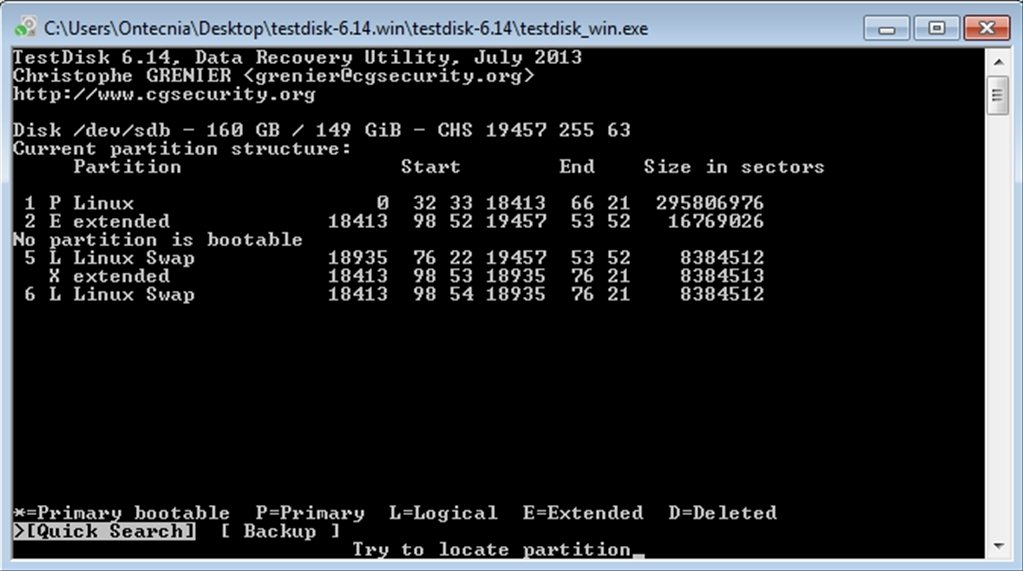
TestDisk is a free application designed to recover data from hard drives in which the boot sector has been damaged or partitions have been accidentally deleted.
Rebuild the boot sector in just four steps
Thus, TestDisk is capable of reconstructing the Boot Sector of FAT12, FAT16, FAT32 and NTFS systems, restoring partition tables, recovering deleted files, etc. To do so, it follows the following steps:
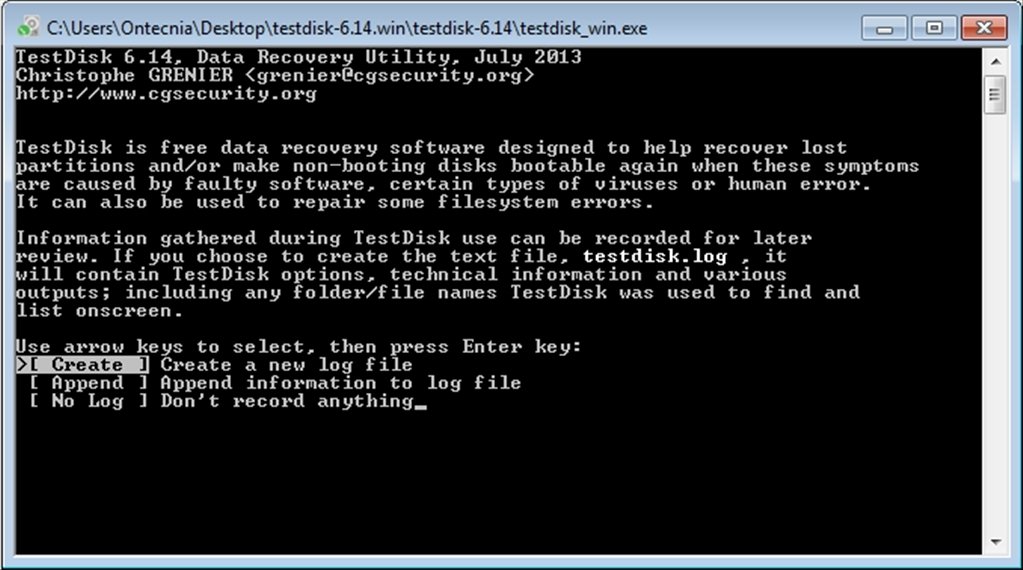
- Step 1. Launch the application.
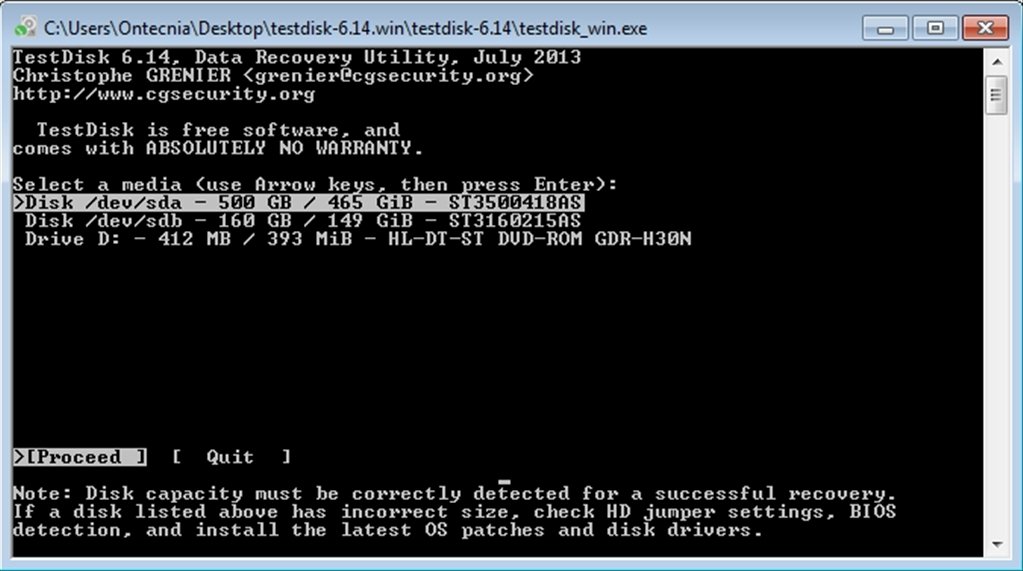
- Step 2. Select the storage device that you want to restore.
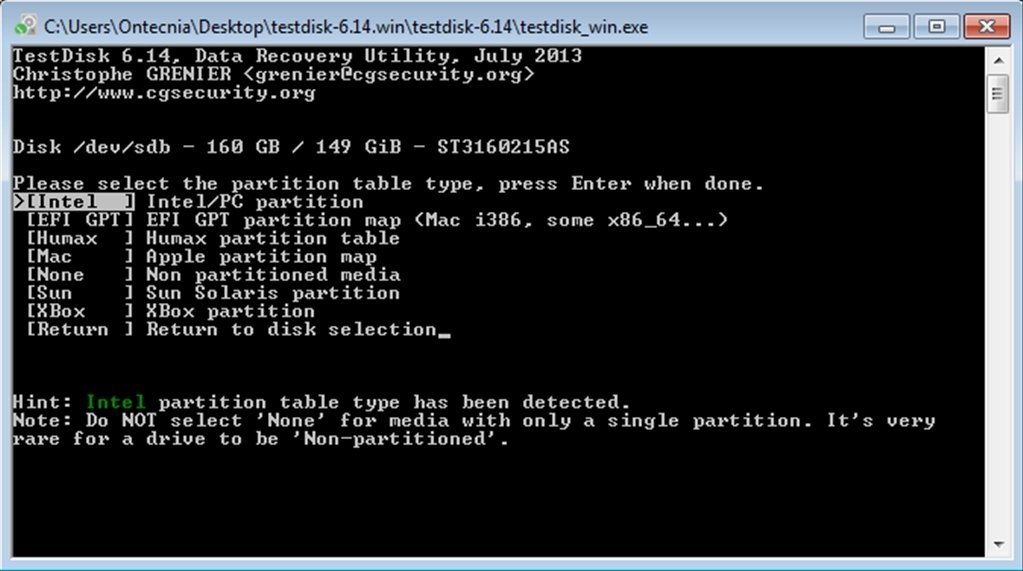
- Step 3. Indicate the kind of partition table: Intel, EFI GPT, Mac, Sun, Xbox...
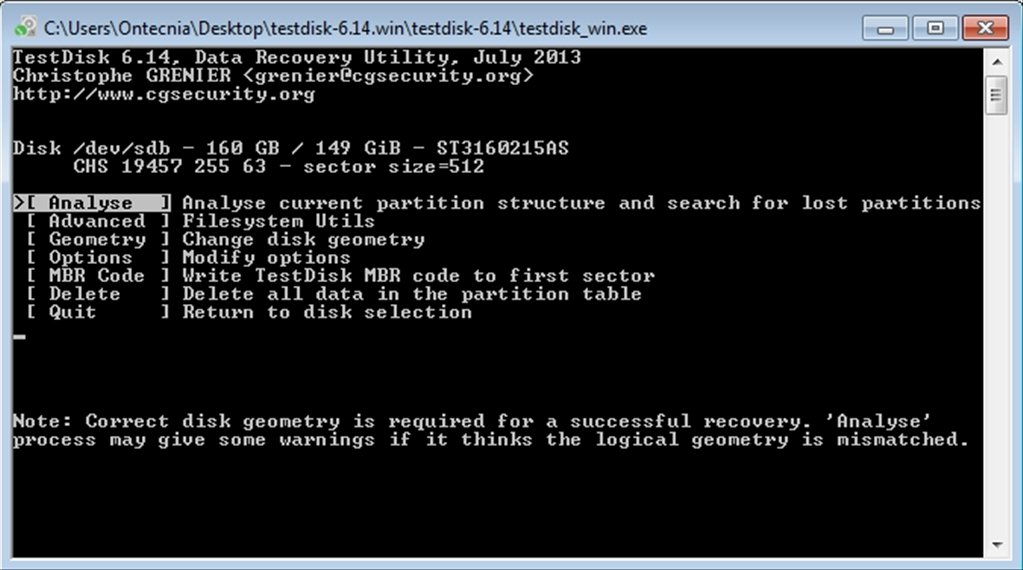
- Step 4. Choose one of the options that the application offers, depending on what you need.
Furthermore, together with TestDisk, you'll find PhotoRec, a tool that is specialized in recovering images from the memory cards of digital cameras, even though it can also be used to recover videos, documents, and files from hard drives and CD-ROMs.
 Vanessa Martín
¡Hi! I am Vanessa Martin, I like to travel, music, photography, and I am passionate about the Internet, as it is a great source of information where you can find everything you need. If it exists, it is on the Internet. Another of my great...

Antony Peel